
Before any metal, wood or UE5 viewport work, the Physical ROC needs a body that people can actually fit in. Over the last few weeks I've been blocking the ship out in Blender: plain boxes, simple seats, human-scale stand-ins and nothing pretty. This is where that stands after sixteen saved versions.
Why block out first
A blockout answers the questions that renders and concept art let you dodge. Can two crew sit tandem without their knees in each other's way? Where does the door go, and how does it open next to a parked trailer or a wall? Is there room to walk in, turn around, and get out again? Every one of those is cheaper to answer with a grey box in Blender than with plywood.
The model uses real units (metric, 1 Blender unit = 1 m) and a few fixed reference objects that never change between versions:
- A garage envelope of 2.44 m × 5.6 m × 2.13 m (8 ft × about 18 ft × 7 ft). The ship has to live inside it.
- A 1.52 m (5 ft) wheelchair turning circle on the floor, so the interior is never designed around the assumption that everyone walks in unaided.
- Simple human stand-ins (head, torso, thighs, shins) seated at the pilot and co-pilot positions, plus a standing figure at the door.
The finished hull in the latest file is roughly 2.2 m wide, 5.1 m long and 2.0 m tall, which leaves a little margin inside the envelope.
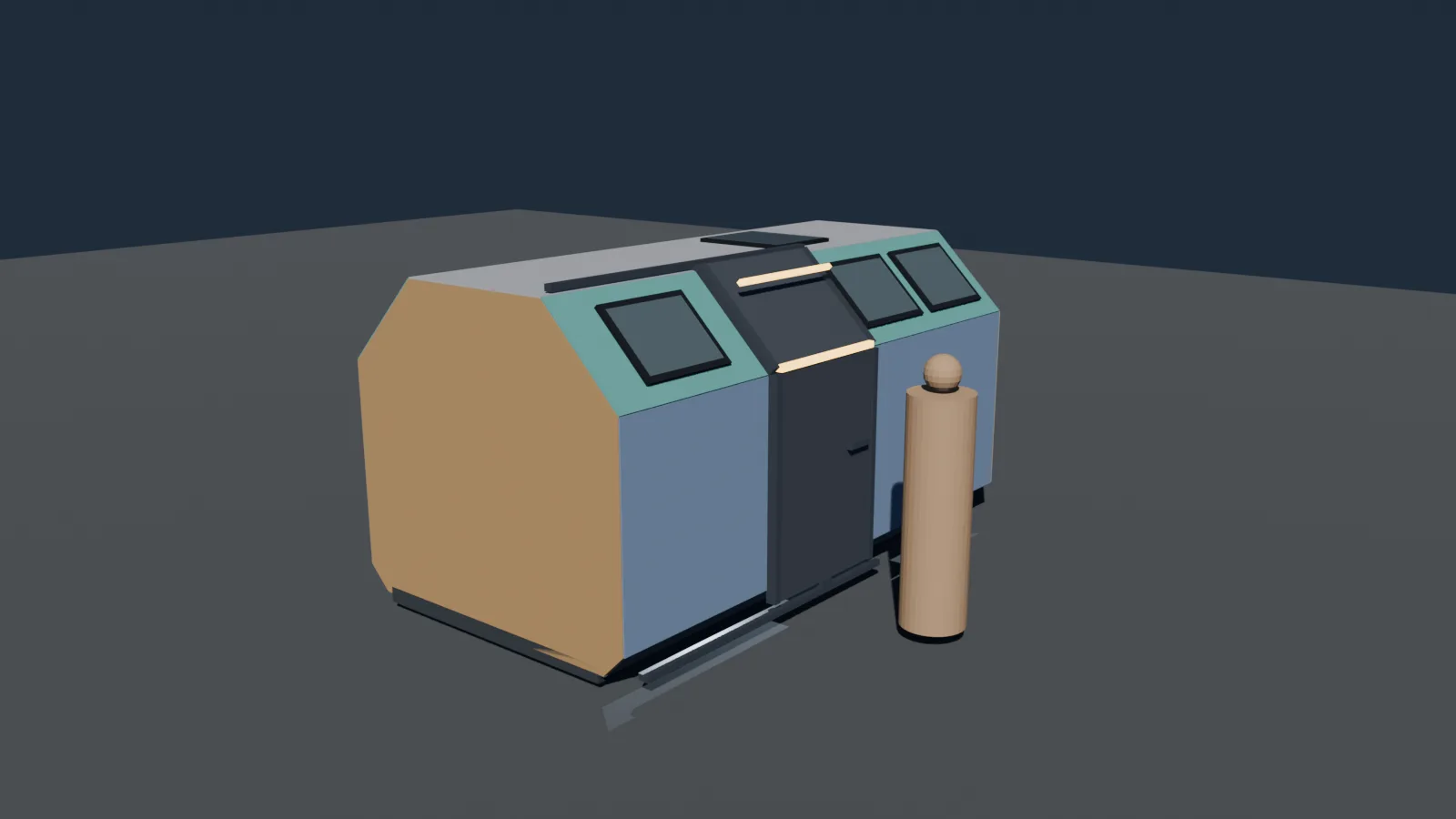
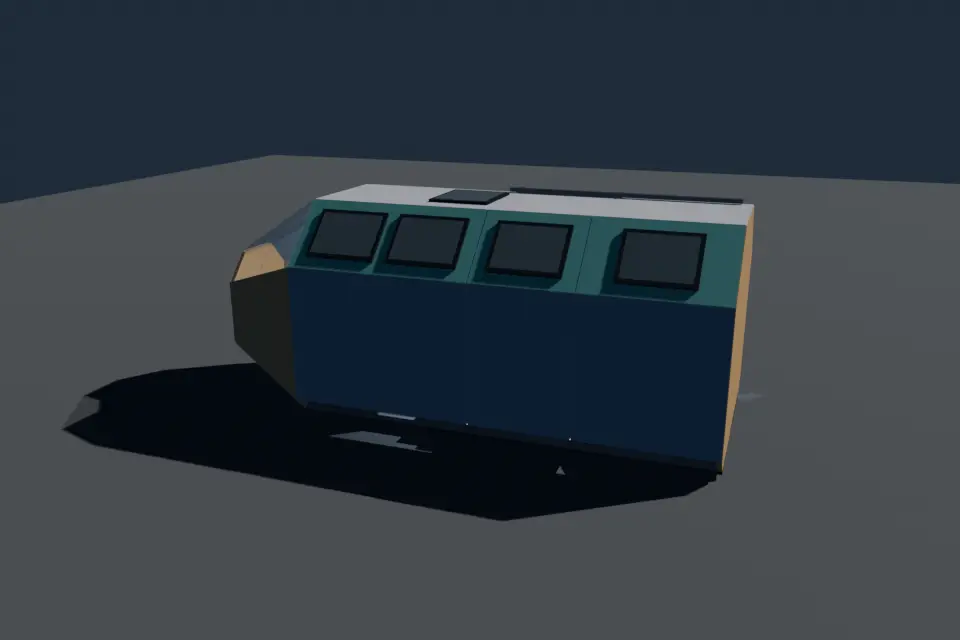
Sixteen versions, in order
I save a new numbered file for each real design decision instead of overwriting, so the sequence is a record of what I tried. The file names tell most of the story:
- v01: the first box and the reference objects.
- v02 tandem: pilot and co-pilot in a front-and-back arrangement rather than side by side.
- v03 variants: several layouts side by side for comparison.
- v04 side entry: a door on the side of the hull.
- v05 rear wall station: a systems station against the rear wall, with a screen at standing height.
- v06 short nose: pulling the nose in to save length.
- v07 C only: dropping the other variants and committing to layout C.
- v08 hatch door: a hinged hatch door on the side.
- v09 panels: the hull cut into flat, buildable panels.
- v10 subframe: a frame underneath the panels.
- v11 slider door: the hinged hatch replaced by a sliding door.
- v12 windows and dash: window openings and a three-screen dash.
- v13 to v16: four passes on the glazing: front windows only, upper windows, no nose glass, then nose top glass.
Layout: two crew, one aisle
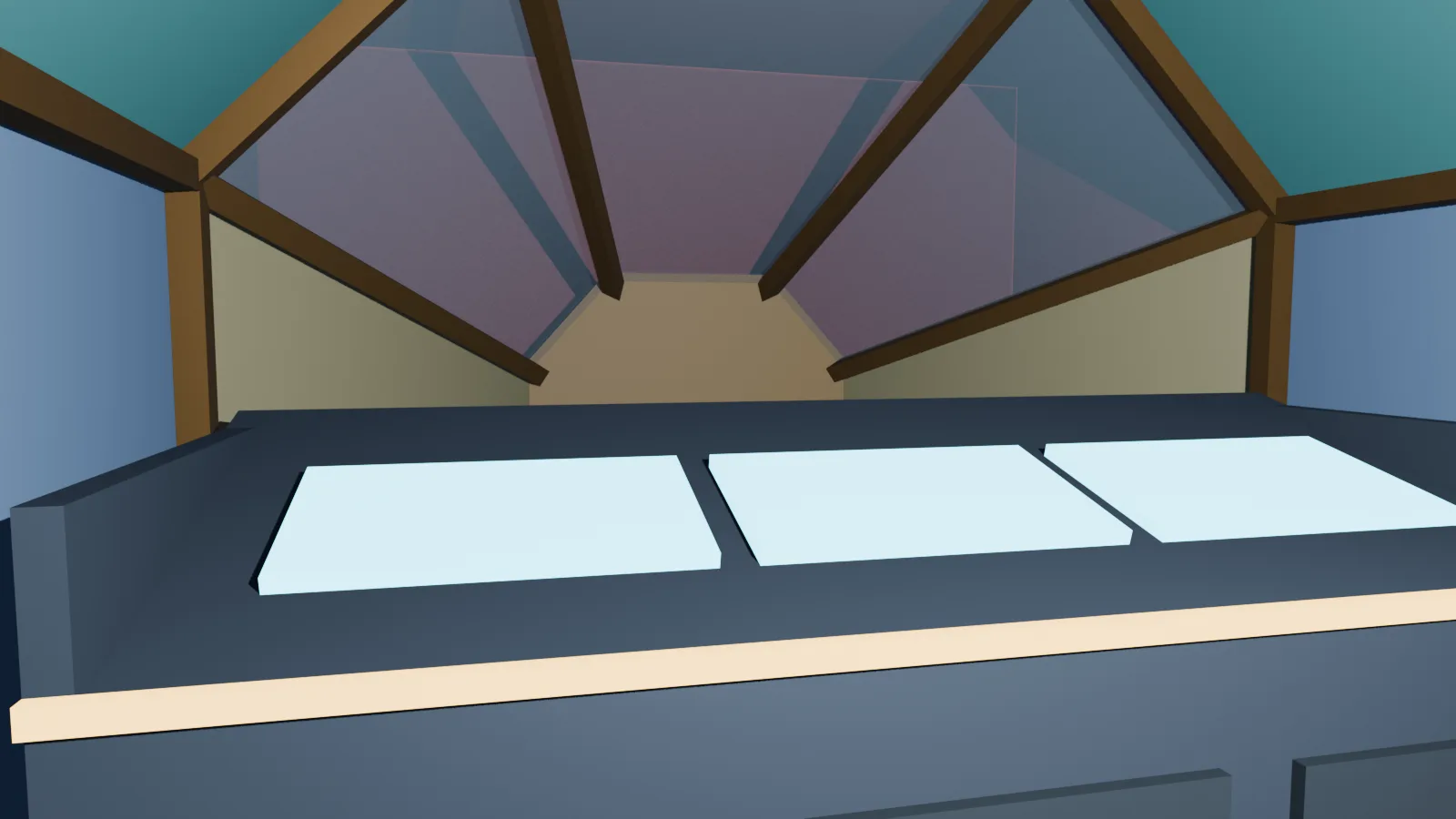
The tandem arrangement stuck. The pilot sits at the front, ahead of the side door, in front of a dash with three screens and service doors underneath. The co-pilot seat sits on a swivel base so the second crew member can turn toward the rear station. That station is a standing-height console with a screen along the left wall, which keeps the right side clear for the door and the aisle. There is also an optional extra front seat, which I've kept in the model so I can test a three-person configuration without redrawing anything.
The door: from hatch to slider
The side door went through two designs. The hinged hatch (v08) is the obvious airlock-style choice, but a door that swings outward needs clear space beside the trailer, which a school car park or a driveway will not always give. v11 replaces it with a sliding door on a top track and a bottom guide, so the door stays within the footprint of the hull. The frame, handle, strip lighting and chamfered top edge all moved over to the slider.
Frame, skin and windows
From v09 onward the model stops being a single solid and becomes something you could build. The hull is cut into flat panels (a rear wall, nose pieces, floor, roof, and side and chamfer panels in three bays), and underneath sits a frame of five octagonal rings joined by rails, floor joists and stringers, with leveling feet at the corners. It is the same structure Phase 1 would translate into a wood frame, which is the reason for building it now.
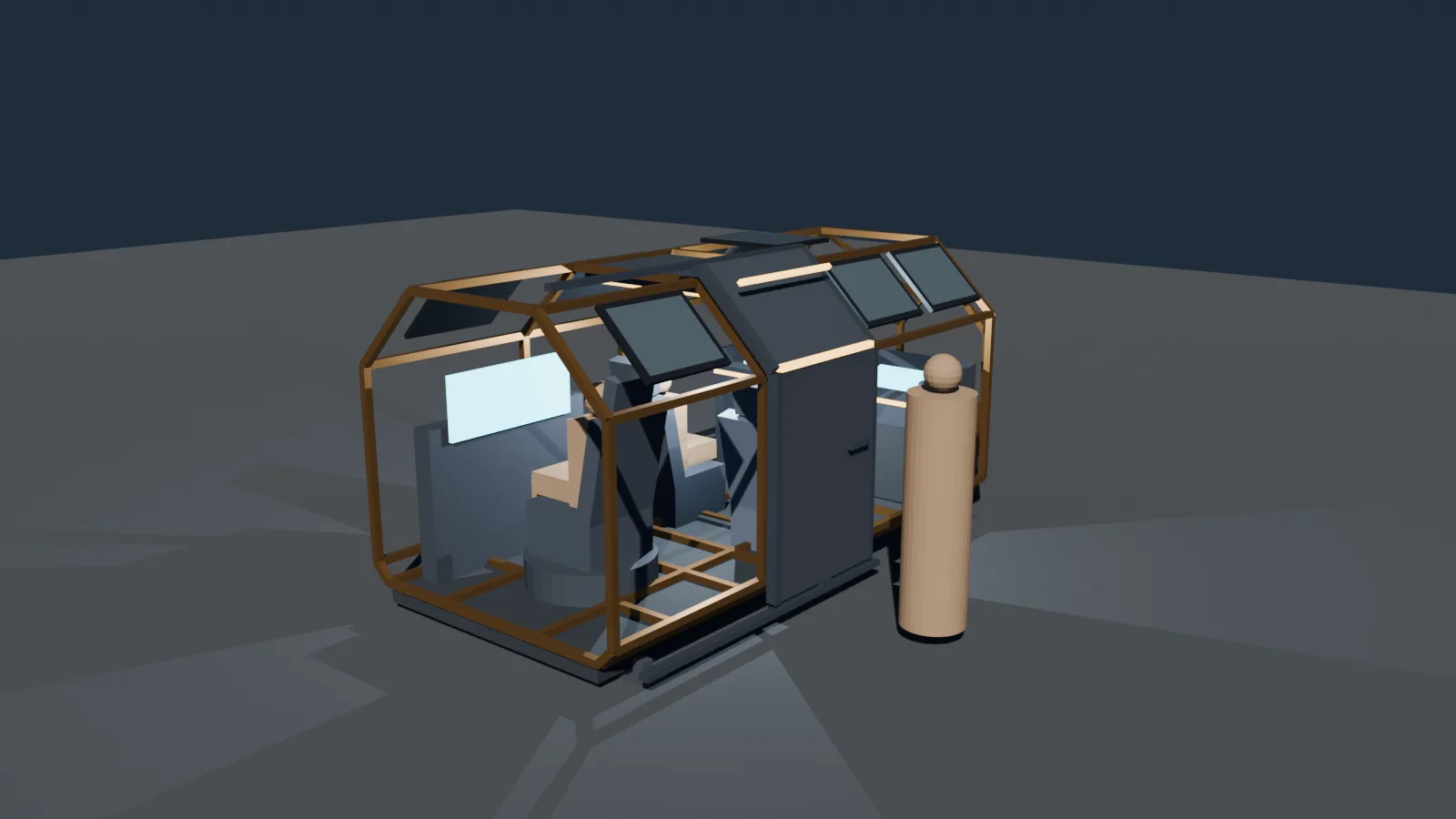
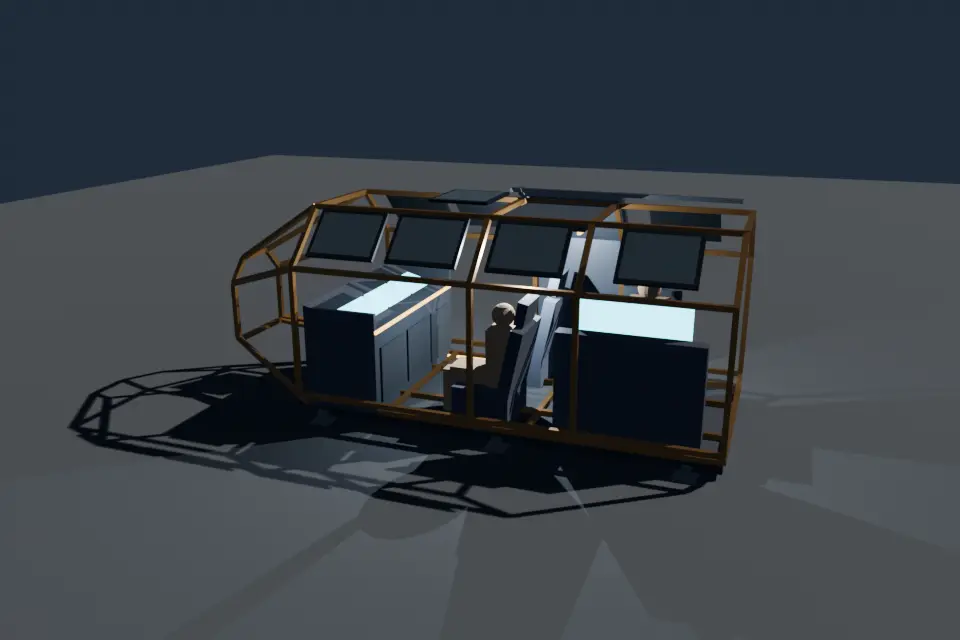
Windows are the one place where I haven't settled. v12 added side windows, a ceiling window and glass around the nose, and v13 to v16 are all variations on how much glass the nose should have. Windows are where the Physical ROC delivers its main trick, since they turn into the space view, so the glazing decision affects both the structure and the UE5 viewport layout.
What I'm taking away
- Keep the constraints in the file. Putting the envelope and the turning circle in the scene means every version is checked against them without anyone remembering to.
- Save versions, don't overwrite. Several of the best decisions here were reversals, and the old files make them easy to revisit.
- Doors drive the design. The hinged-to-slider change affected the frame, the aisle and the exterior dressing.
- Block out in buildable pieces. Cutting the hull into panels early exposed fabrication questions while they were still cheap to fix.
What's next
The glazing needs a final decision, then the blockout can feed three things: a more detailed interior for the pilot and systems consoles, the UE5 viewport layout behind each window, and a first real cost estimate for the Phase 1 frame. Progress will keep landing in The Lab and on the Physical ROC page.
Disclaimer
This is a work-in-progress design study. Dimensions, layouts and features are subject to change without notice and are not final specifications.
Back to Blog View the Physical ROC