
The last devlog settled that Drift stays in Unreal, and set the next goal: a hangar to pick a ship, gentle flight, one finished vista with its own sound, and a photo mode. Those pieces are in. Along the way Drift picked up a real-time Earth and Moon, routes to fly, travel times worked out from each ship, and flight time that slowly opens up the solar system.
The hangar
Drift now starts in a hangar. Your ship turns slowly on a turntable while Earth's night side hangs in the background, and two cards sit either side of it. The left card is the ship: its name, its numbers, four stat bars, its paint scheme, and the route you'll fly. The right card is where you're going: a list of destinations, plus two clock settings I'll come back to.
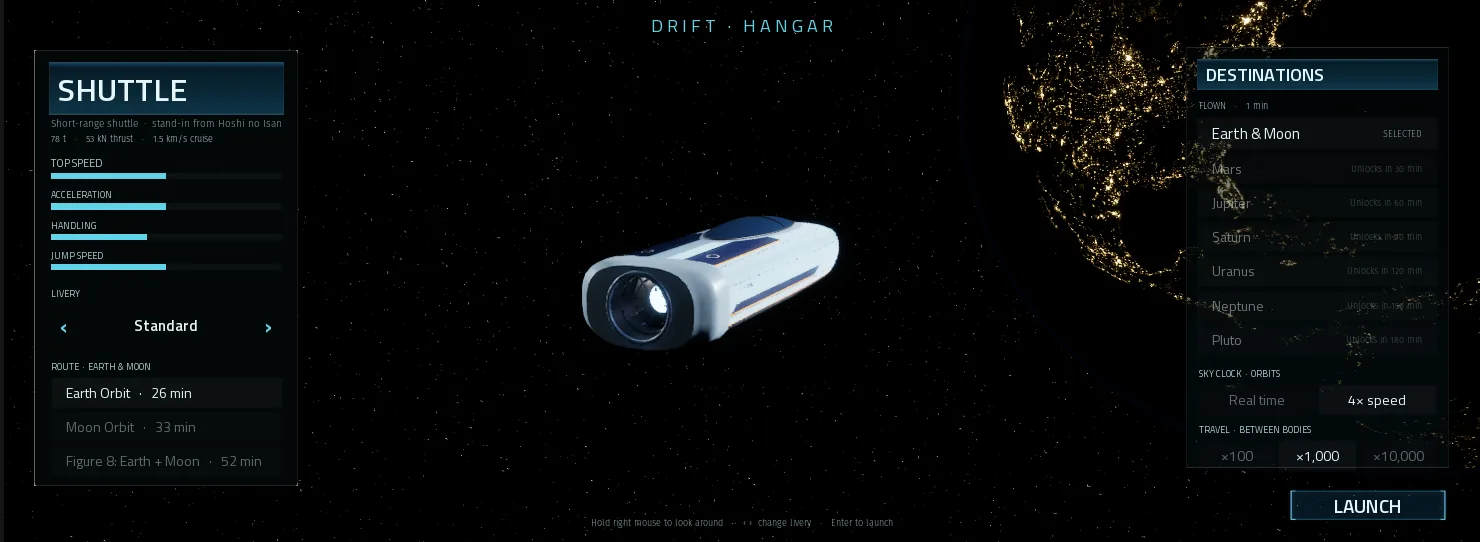
The UI is built on the Xenon Star theme, kept dark and quiet so the ship stays the centre of the screen. Hovering any stat bar explains what it means, in a small dark box rather than Unreal's default tooltip, which turned out to be hard to read against space.
A real Earth and Moon
The Earth and Moon you see are where they really are. Drift reads your computer's date and time and works out where the Sun is overhead, how Earth is tilted for the season, how far it has turned, and where the Moon sits in its month. If it's night over your city, it's night over your city in the game too.
Real time is beautiful but slow, so there's a Sky Clock setting: real time, or 4× speed, where Earth turns four times a day. Only Earth's spin speeds up. The date and the Moon stay real, so the seasons don't drift and the Moon doesn't jump.
Three routes
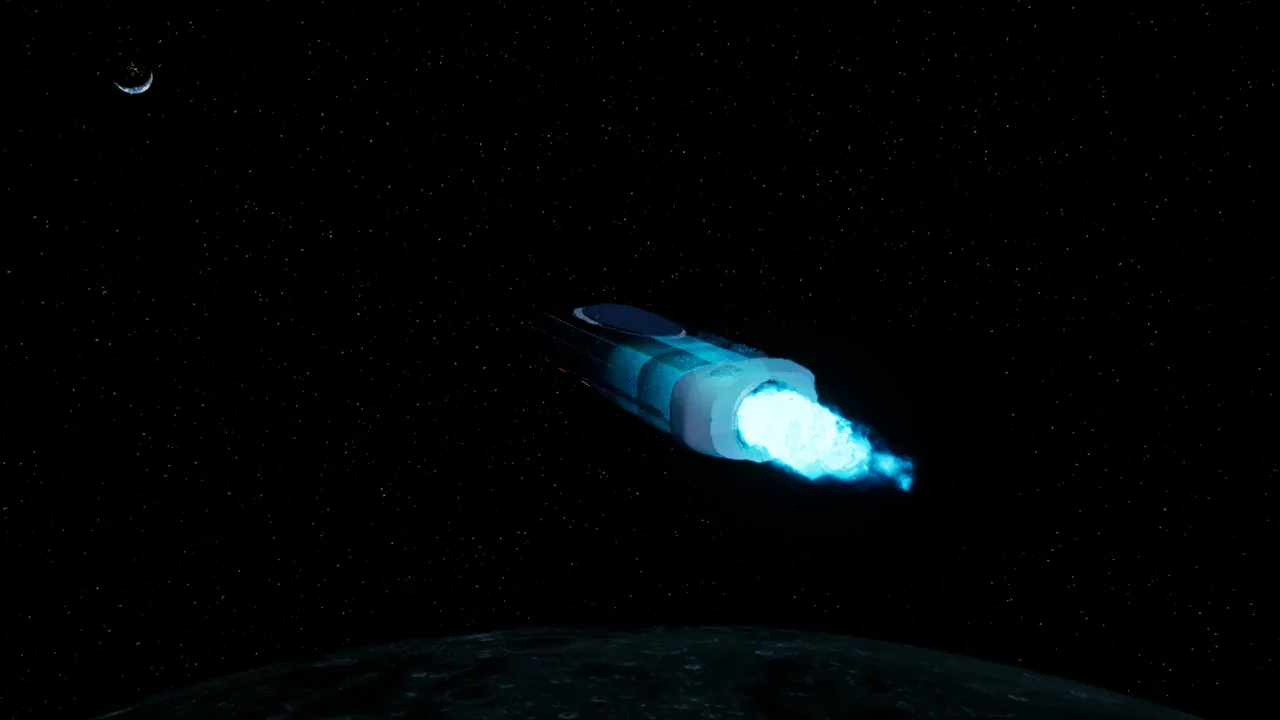
When you arrive you're already moving. Instead of parking you in space, Drift puts you on a route and gives you a camera behind the ship looking toward the planet. Take the controls any time and you leave the route for free flight; one key puts you back into orbit.
- Earth Orbit. A low circle over the planet, close enough that the city lights fill the bottom of the screen.
- Moon Orbit. Low over the Moon's surface, with Earth hanging small on the horizon.
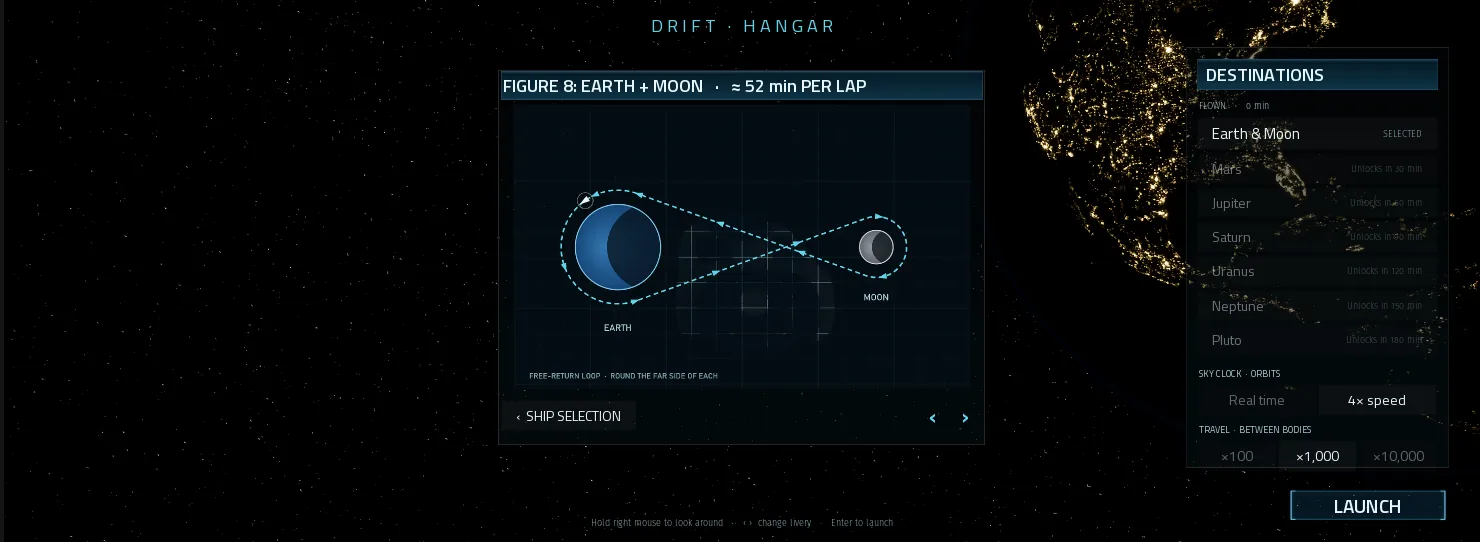
- Figure 8. A loop around the far side of Earth, across to the Moon, around its far side and back. The same shape as the free-return trajectories that brought Apollo crews home.
Click a route in the hangar and a flight plan opens: a top-down map of the path, so you can see where you're headed before you launch. Arrows step through the routes, and a button takes you back to the ship.
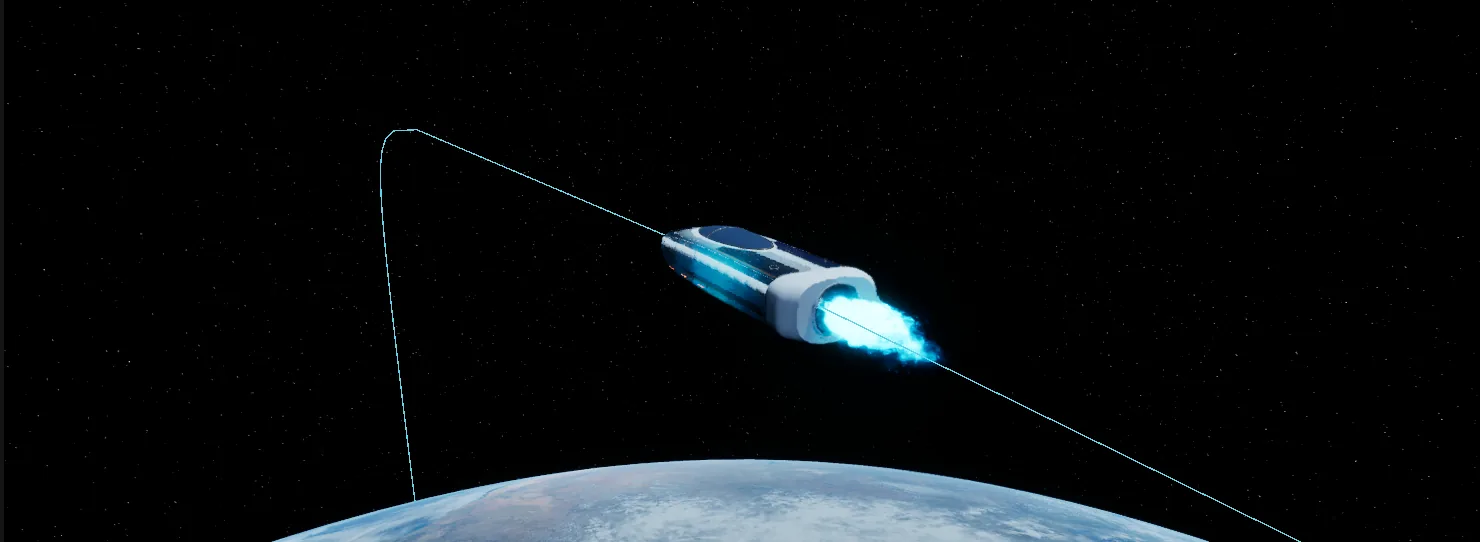
In flight, pressing L draws your path as a thin line: the full orbit circle, or the whole figure 8, disappearing behind the planet where it should.
How long is a trip?
Space is big, and I wanted Drift to be honest about it without making you wait a week. Every route shows how long it takes, and the answer comes from two different kinds of time.
Orbits follow physics. How long a lap takes depends only on how high you are, not on what you're flying. At Drift's heights, a real lap of Earth takes 1 hour 44 minutes and a lap of the Moon 2 hours 13 minutes, for every ship. At 4× that's 26 and 33 minutes.
Travel depends on the ship. Each ship now has a mass, an engine thrust and a cruising speed, shown on its card. A trip between bodies is the distance divided by the cruising speed, plus the time it takes to speed up and slow down, which grows with mass and shrinks with thrust. The shuttle is a 78-tonne ship with a small engine, so the real Earth–Moon loop takes it about six days. A heavier ship with a bigger engine and a faster cruise does it in two.
Six days is fine for the Moon, but Mars is about seven months away and Neptune about twelve years. So orbits and travel run on separate clocks. The Sky Clock sets orbital speed, and a second setting, Travel, speeds up the legs between bodies by ×100, ×1,000 or ×10,000. Near a planet the ship slows to orbital speed; once it climbs away, it ramps up to travel speed. At 4× and ×1,000 the shuttle's figure 8 takes about 52 minutes, and the hangar's estimate and the real flight agree to the second.
A calmer launch
Launching used to play a glowing tunnel with white flashes. It felt like an arcade game, not Drift, so it's gone. Now when you press Launch, the hangar panels fade away, the engines light, and your ship eases off into the stars, slowly at first, then faster.
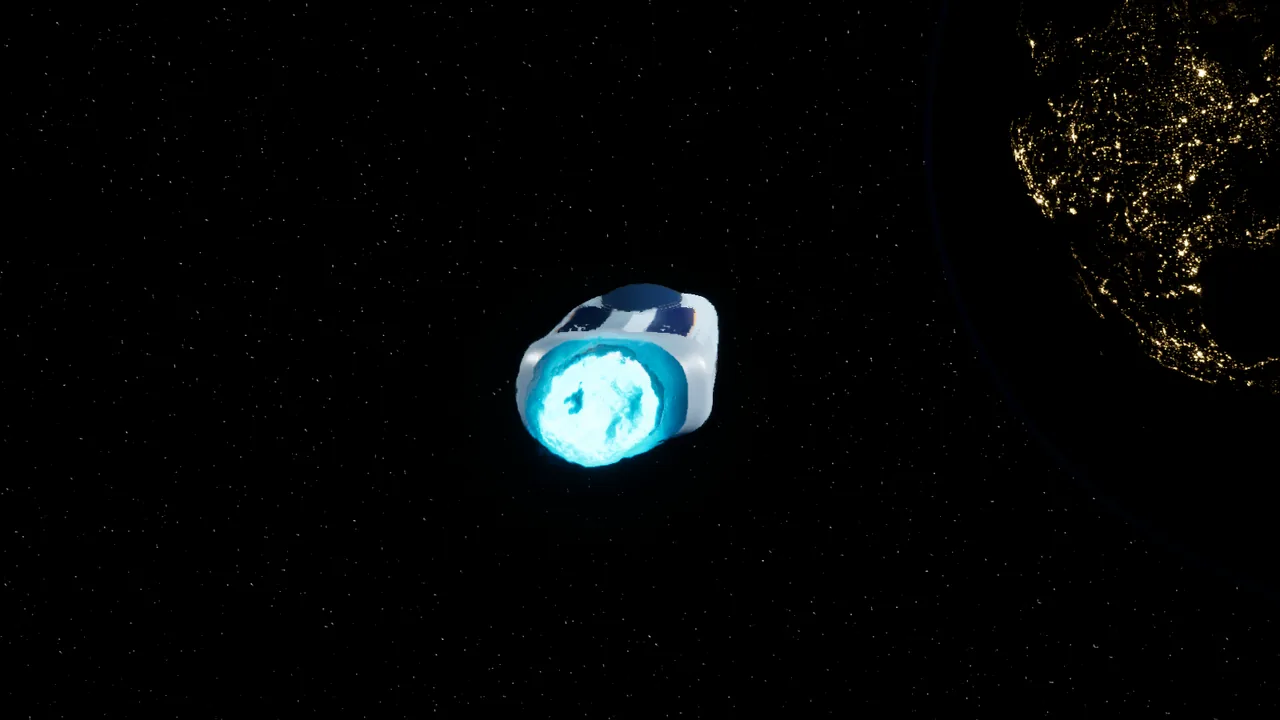
The screen fades to deep navy, never white, and a quiet card names where you're headed, the route, and how long it will take. It covers the loading too. Then the scene fades in on your ship, already on its route, with the camera drifting in from far behind. The whole sequence takes a few seconds, and Space or a click skips it.

Flying opens the map
The destinations list goes all the way out to Pluto, but most of it starts locked. Every minute you spend in space counts toward opening it, across every session, and Drift saves your total as you fly. The destinations card shows it as Flown, and each locked destination shows how many minutes are left: Mars at 30 minutes, Jupiter at 60, and so on out to Pluto at three hours.
Press H in flight to head back to the hangar and see where you stand.
Smaller things
- No more nebula. The teal and pink clouds from the first devlogs are gone. Our solar system doesn't sit inside a glowing nebula, so the sky is now black with stars, as it would be from Earth orbit.
- A brighter hull. A soft light now follows the camera and falls only on your ship, so the hull stays readable over Earth's night side without lighting the planet.
- Sound and photos. The Earth vista has its own ambient sound, built entirely inside Unreal, and a photo mode with its own camera, exposure and focus.
What is still rough
- Mars and the planets beyond can unlock, but none has a scene yet. Unlocked ones show "scene coming soon" and can't be launched.
- The orbit lines use Unreal's debug drawing, which doesn't appear in shipping builds. They need replacing with real geometry before release.
- There's still only one ship, the shuttle from Hoshi no Isan. The ship card is ready for more.
What's next
Mars, so that the first unlock leads somewhere: its own vista, its own orbit, and the first trip long enough for the Travel setting to matter.
Disclaimer
This is a work-in-progress development log. Everything shown is a prototype and is subject to change without notice. All images in this post are in-engine screenshots from the Unreal editor.
Back to Blog Drift